How to Use the Sprongo AI Analyze Tool for Enhanced Performance?
Sprongo's AI Analyze tool provides athletes and coaches with data-driven insights to enhance sports performance. Using advanced AI, it analyzes training videos to pinpoint strengths and areas for improvement. Perfect for athletes wanting to improve skills or coaches seeking precise feedback, this tool elevates the training experience.
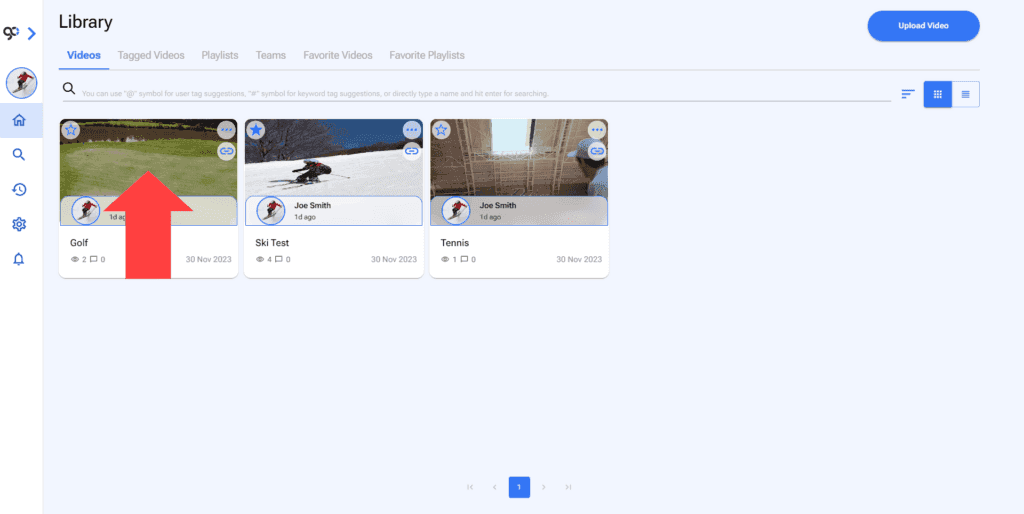
1. Open a Video
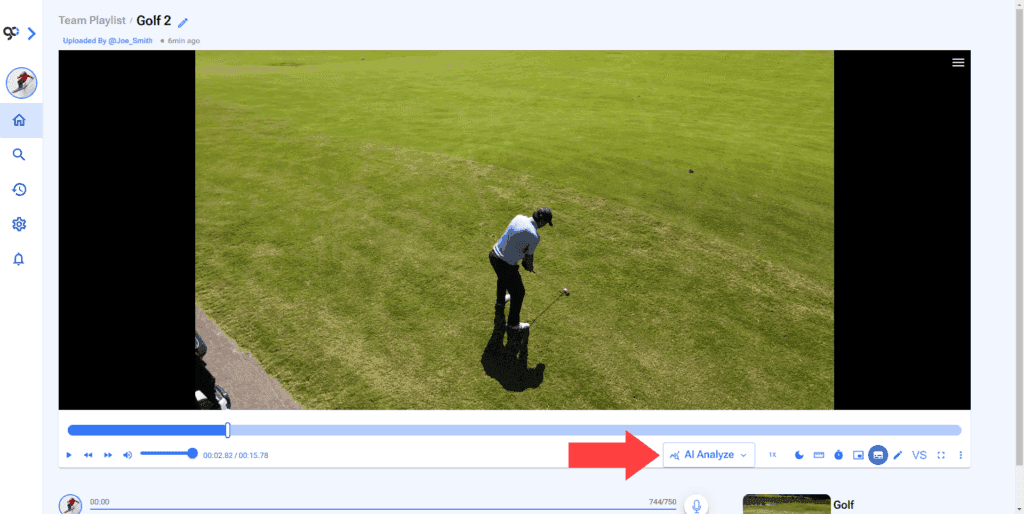
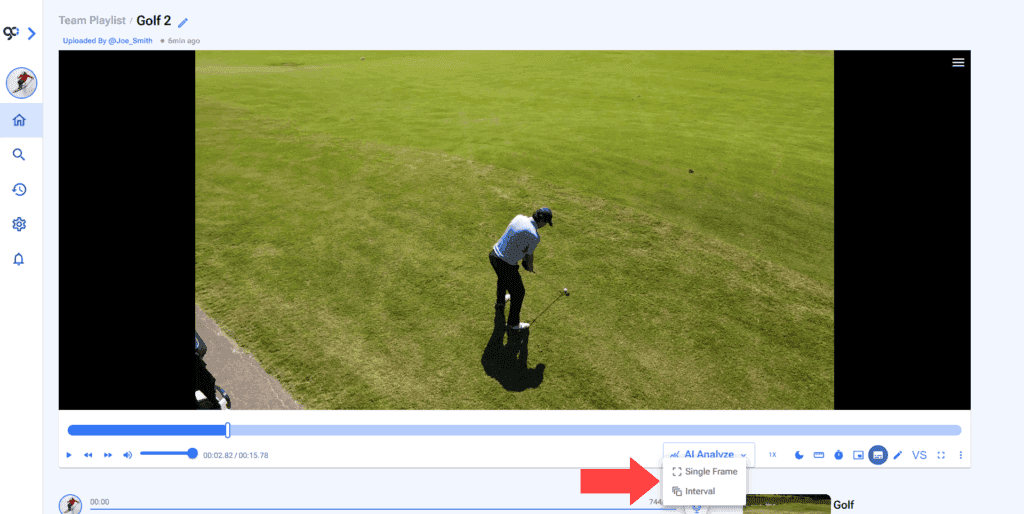
3. Select Single Frame or Interval.
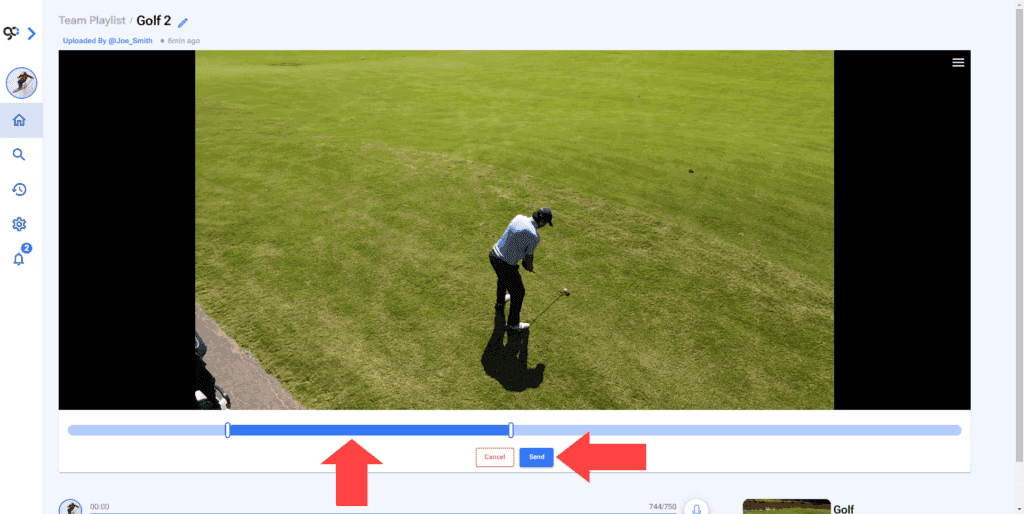
4. If you select Interval set the time markers and click Send.
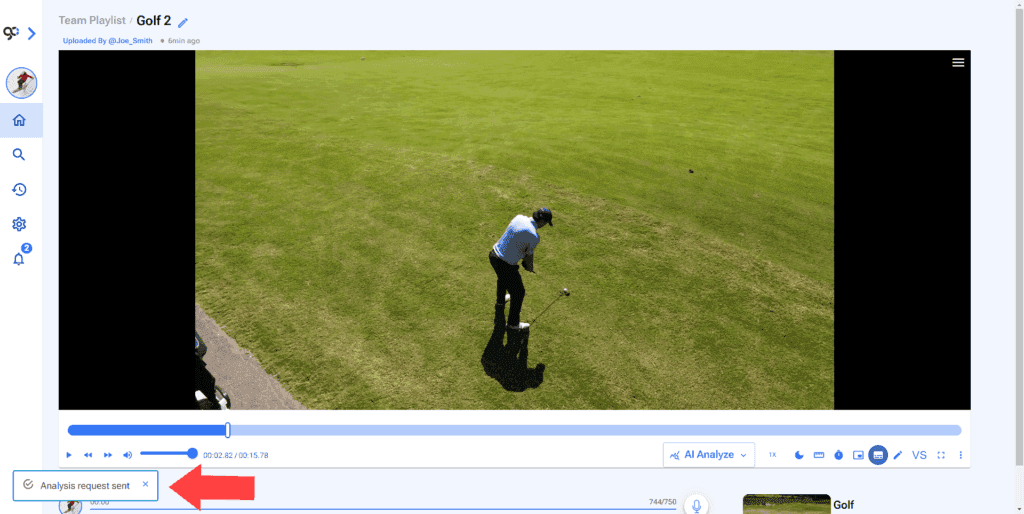
5. The analysis will be processed.
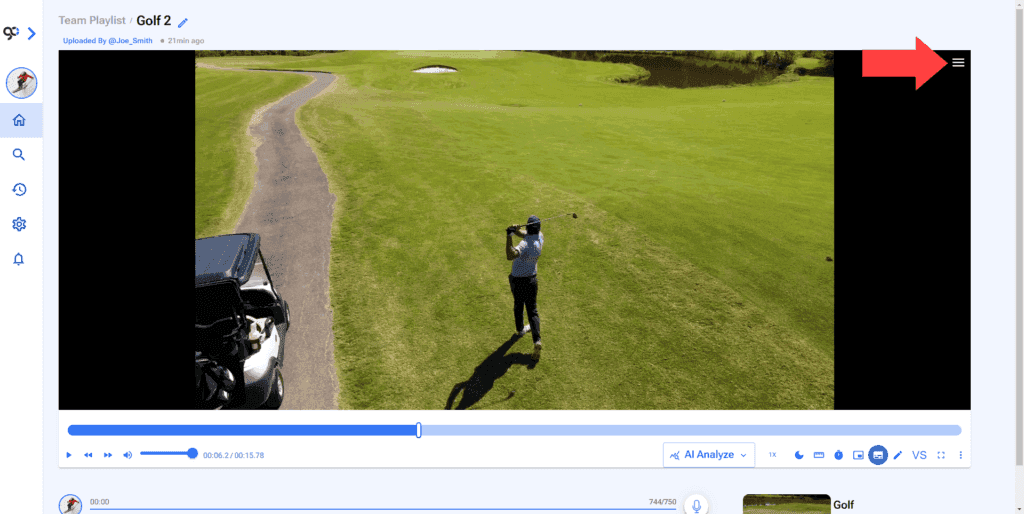
6. To see analysis on a video. Click the Hamburger Menu at the top right of the video.
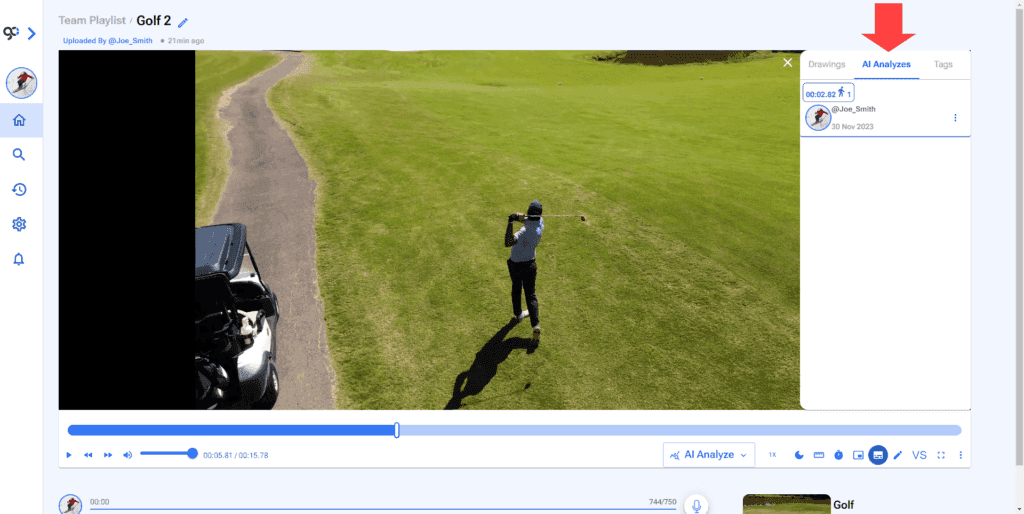
7. Go to AI Analyzes section.
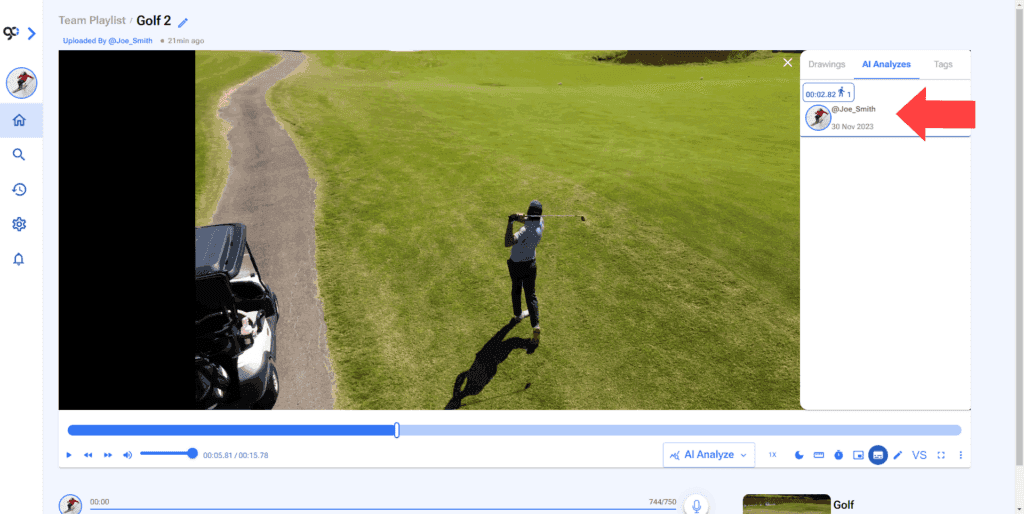
8. Click on the Analysis you want to see.
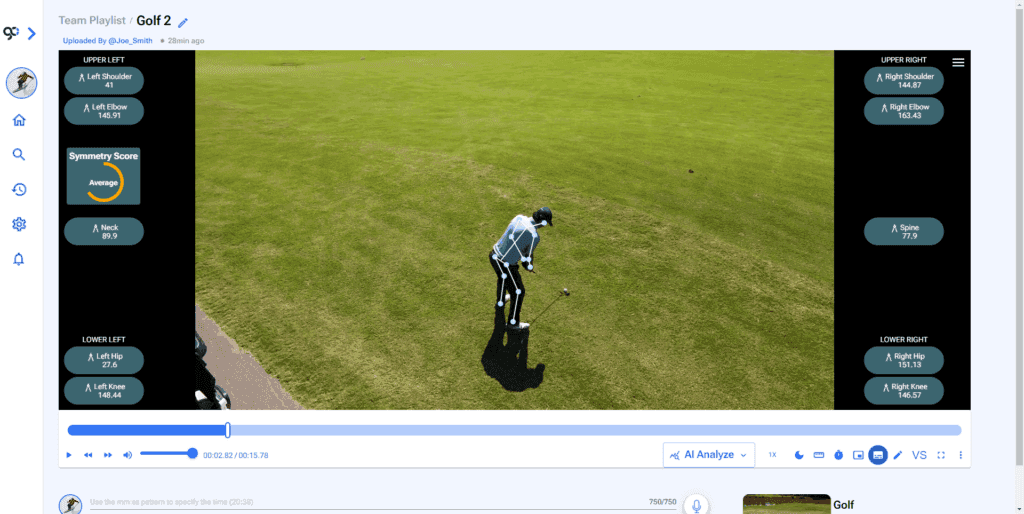
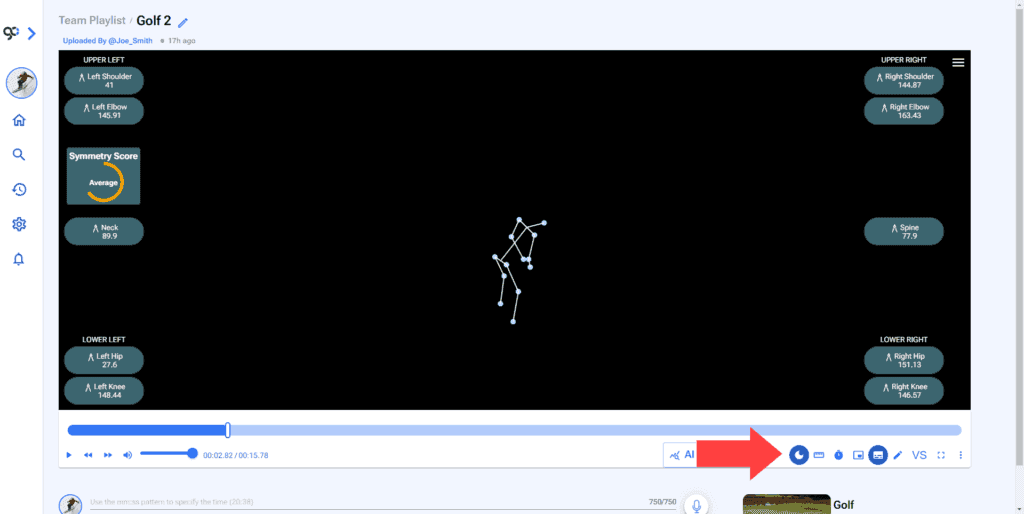
9. Click on Dark Mode icon to hide the video and look only at the data.