How to Use Sprongo Drawing Tools for Video Analysis
Sprongo's Drawing Tools enable athletes and coaches to highlight key movements in training videos. With lines, angles, and shapes, users can mark areas for improvement and track progress, providing clear, targeted visual feedback to boost performance.
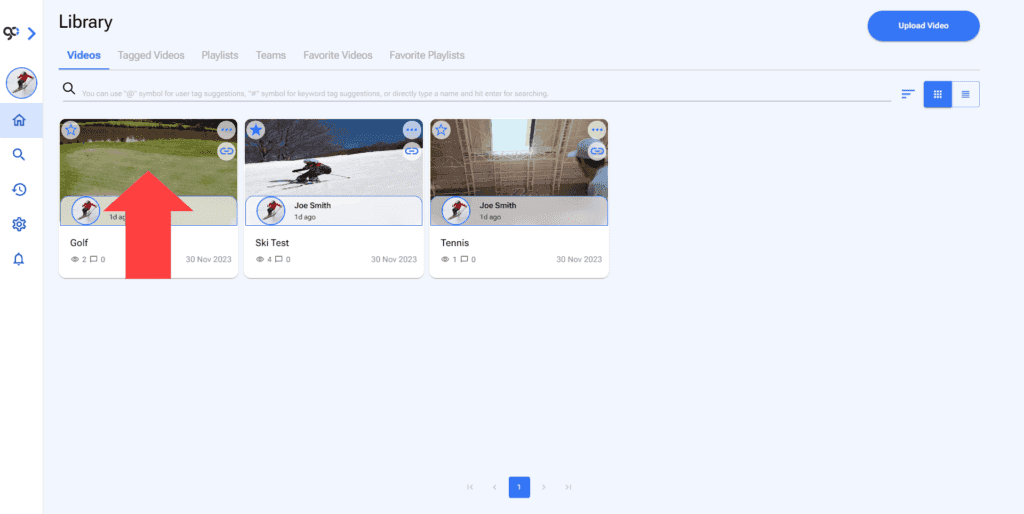
1. Open a video.
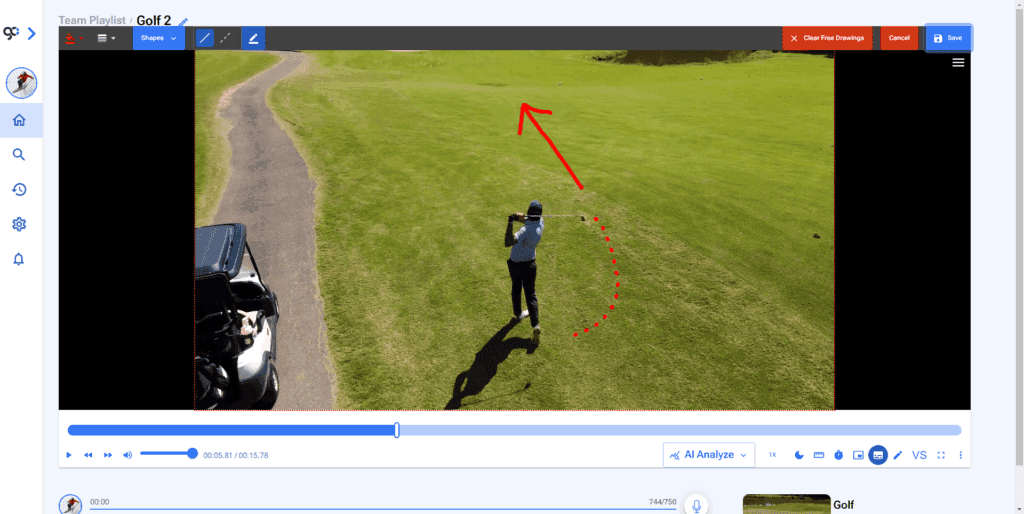
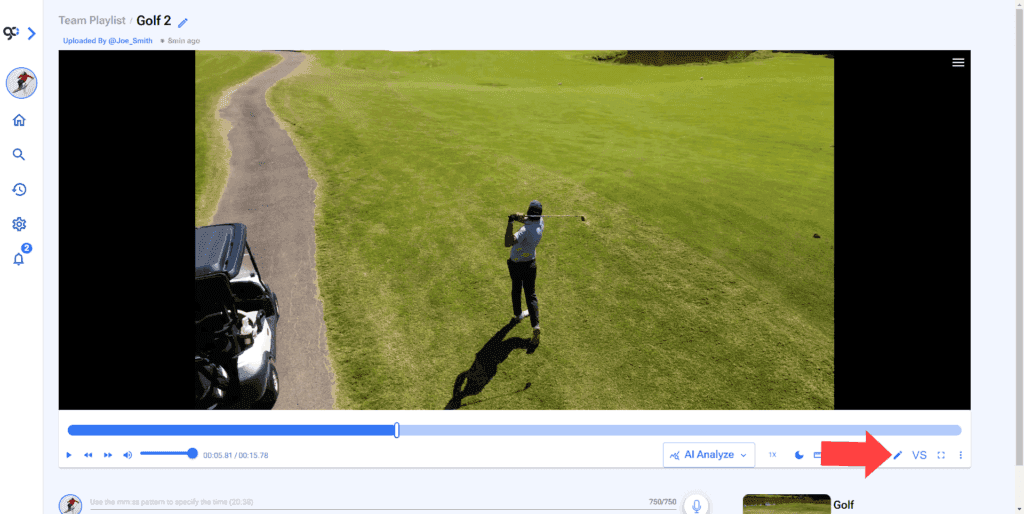
2. Select drawing tools at the bottom right.
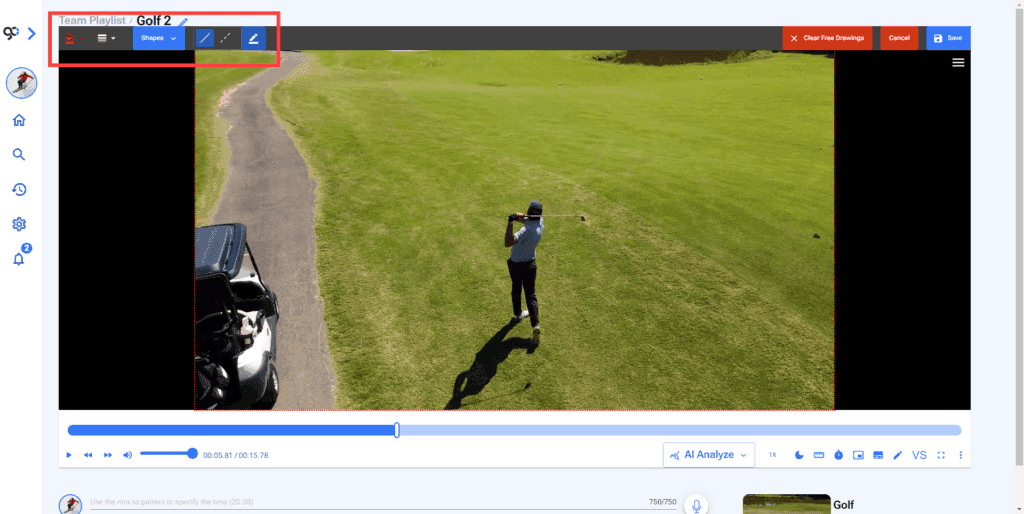
3. You will find the drawing options at the top left of the video.
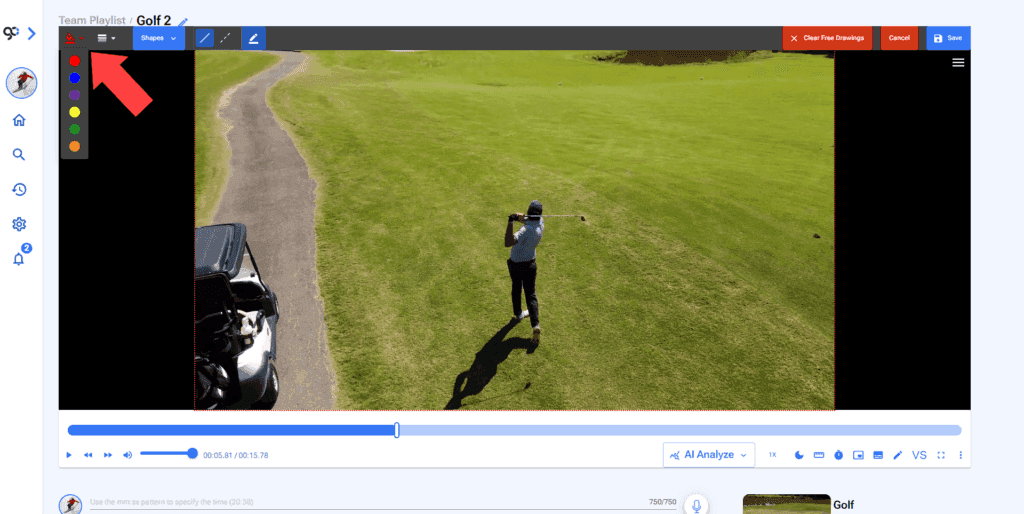
4. Choose color.
5. Choose line thickness.
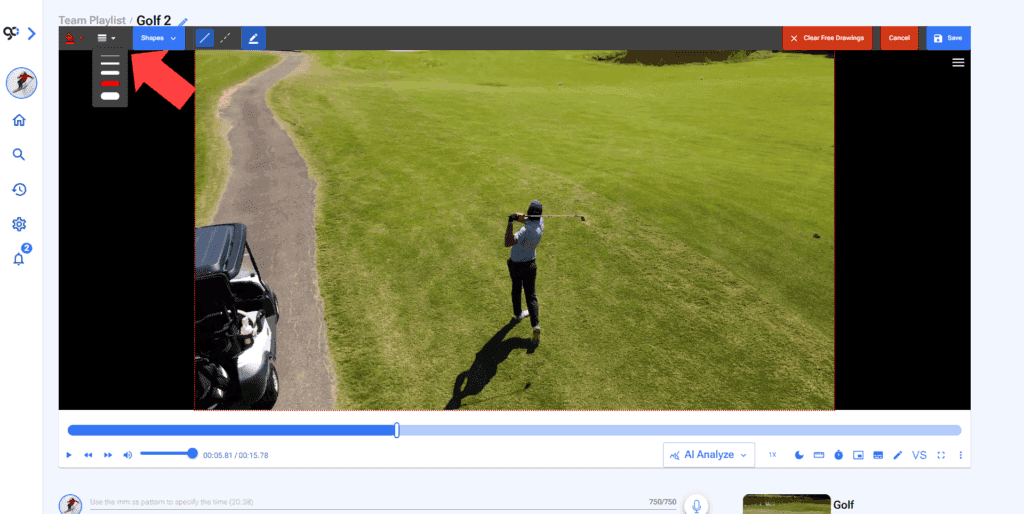
6. You can draw freely with the default pencil or choose a shape.
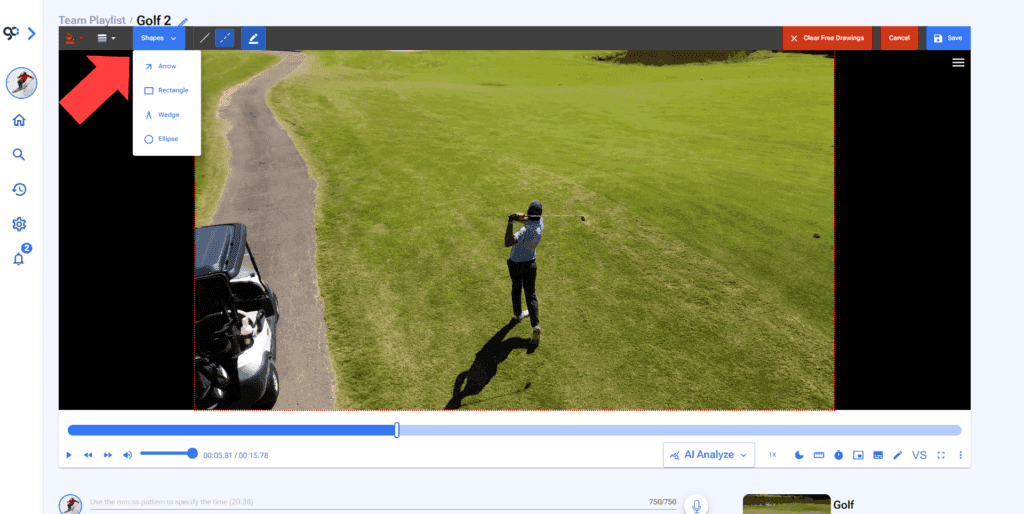
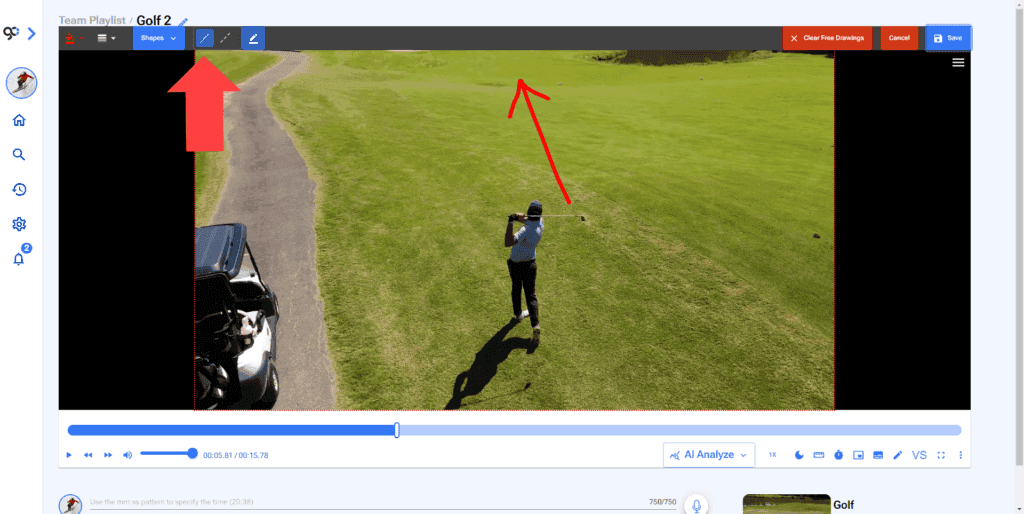
7. By default a continous line will be selected.
8. You can change it to a dotted line.
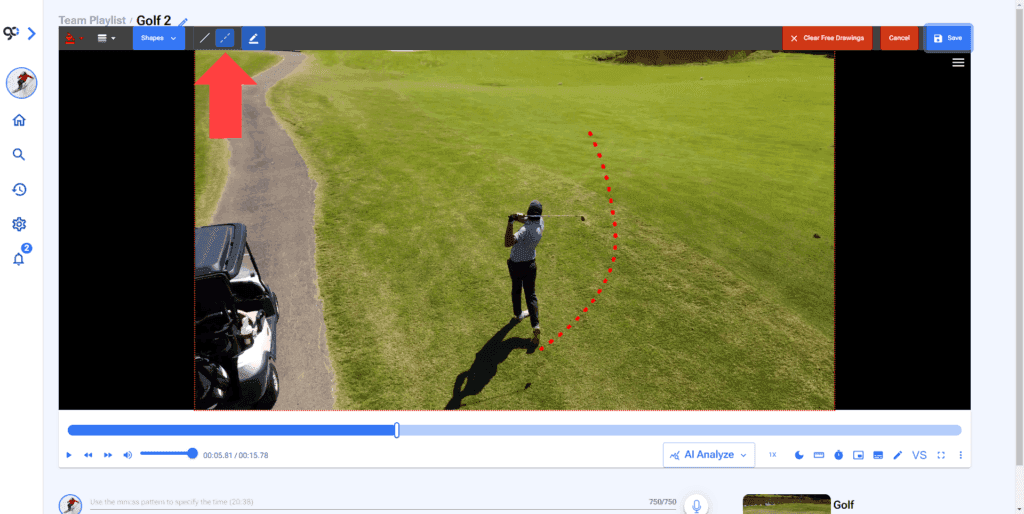
9. You can erase the drawings by clicking on the Clear Free Drawing button at the top right of the video.
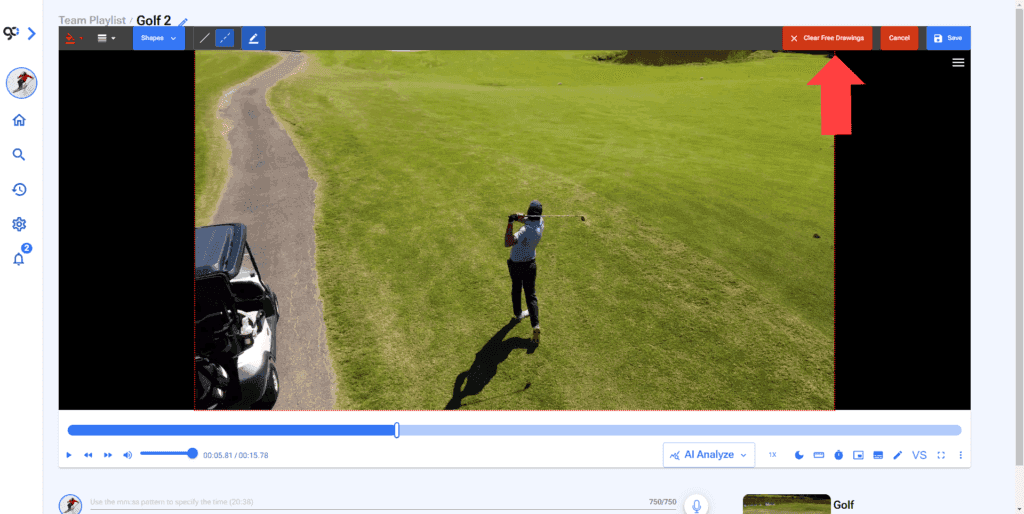
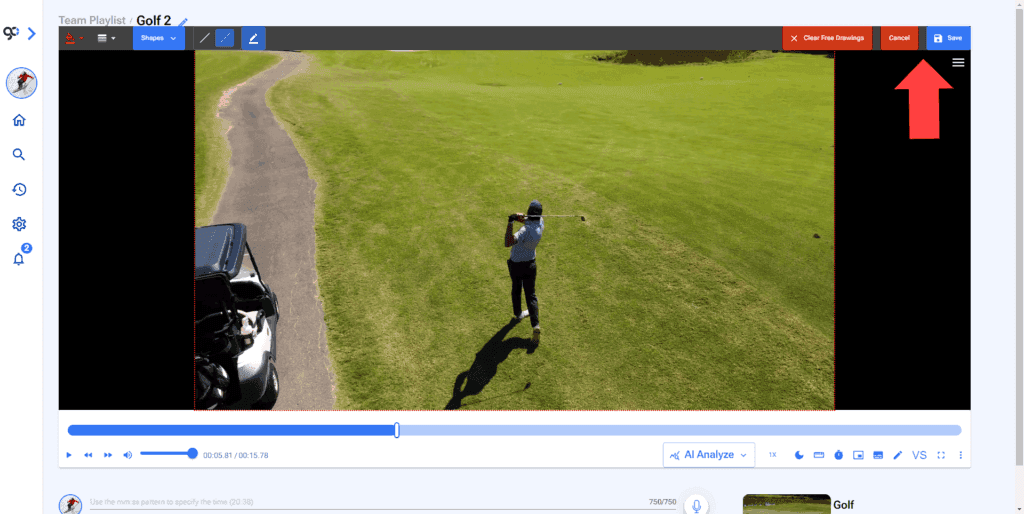
10. Cancel or save your drawings.
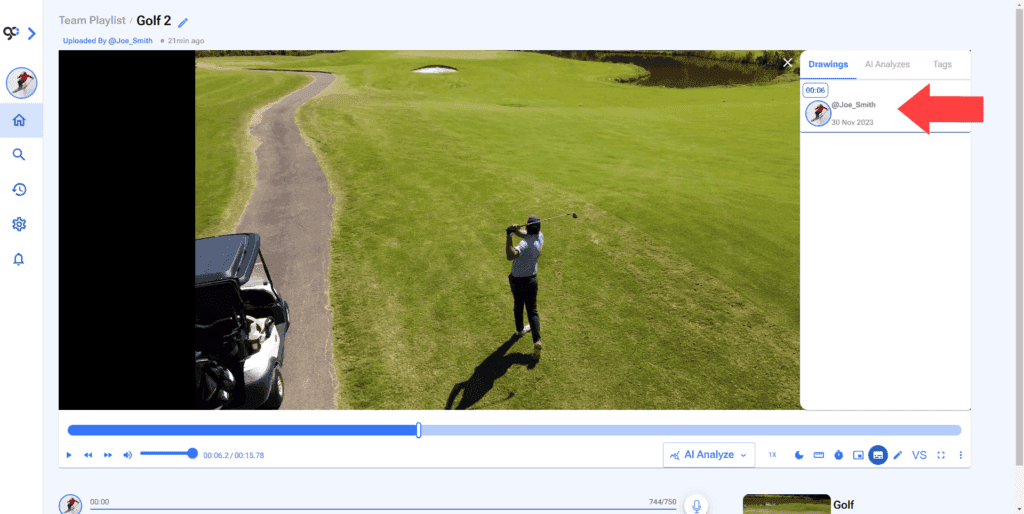
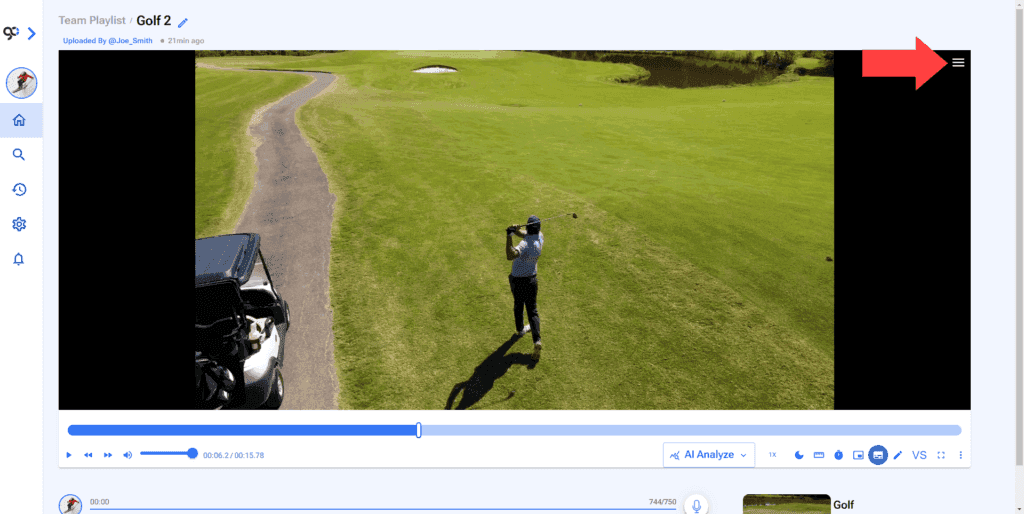
11. To see the drawings on a video. Click the Hamburger Menu at the top right of the video.
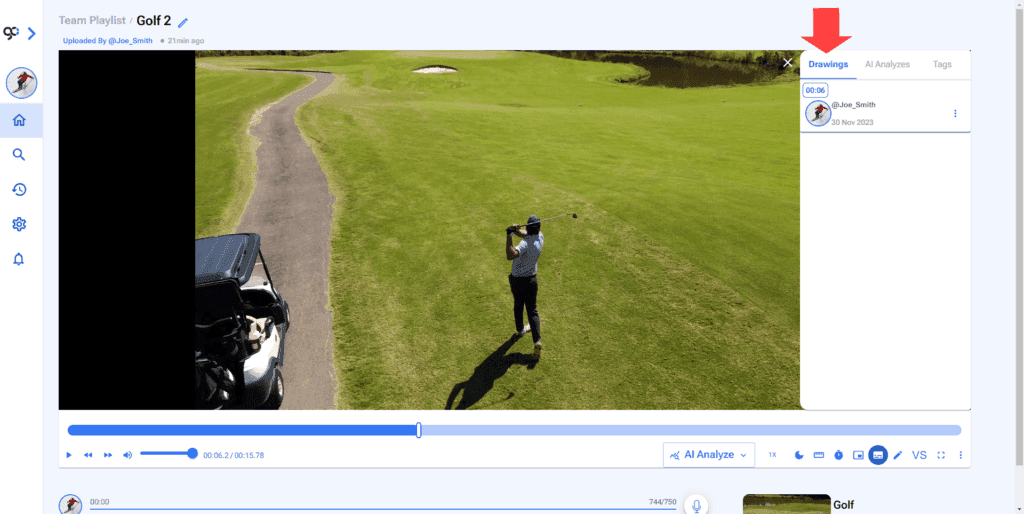
13. Click on the Drawing you want to see.