Creating Your Team on Sprongo: A Simple How-To Guide
Creating a team on Sprongo is simple and helps streamline training and collaboration for athletes and coaches. Follow these steps to set up your team quickly and start maximizing your training experience on Sprongo.
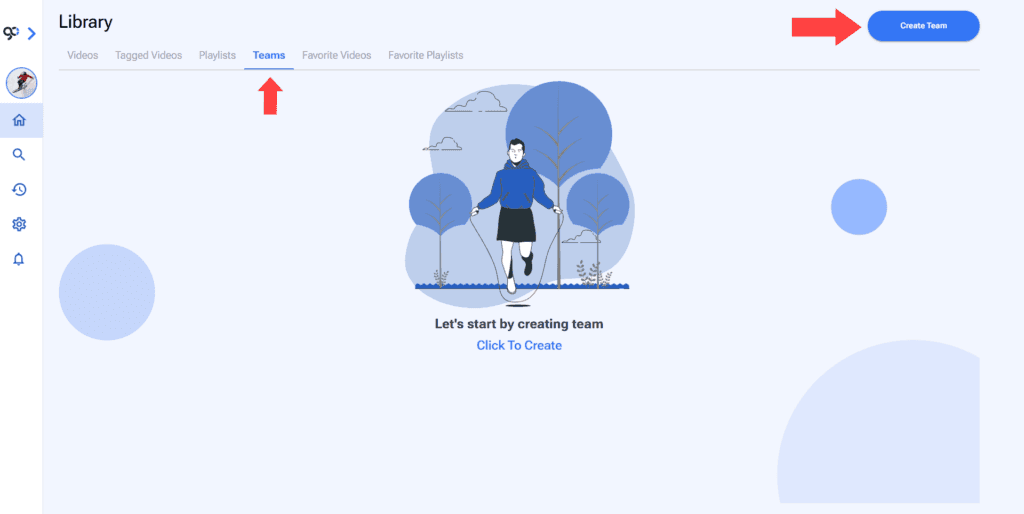
- Go to the Teams Section of your Library. You will see an Create Team button on the top right of the screen.
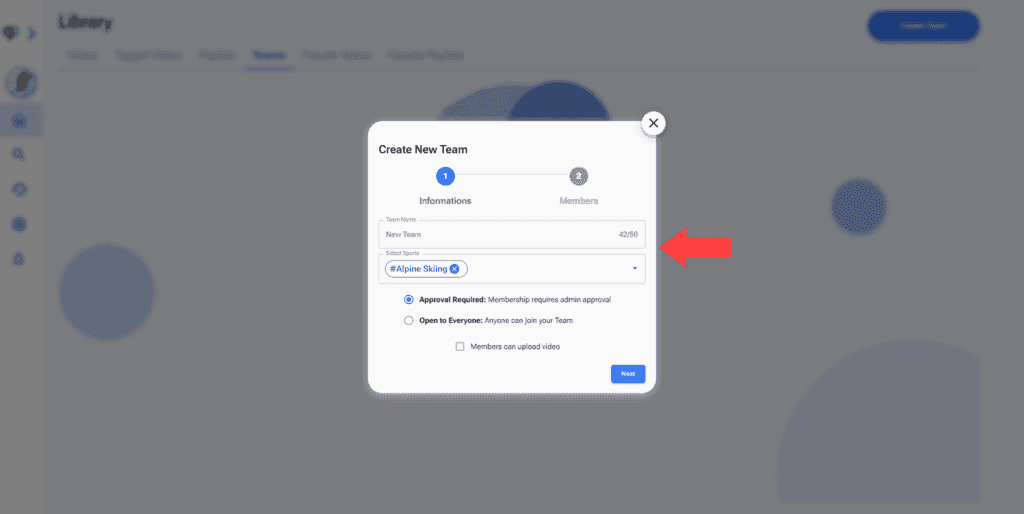
2. Give your team a name and choose a sport.
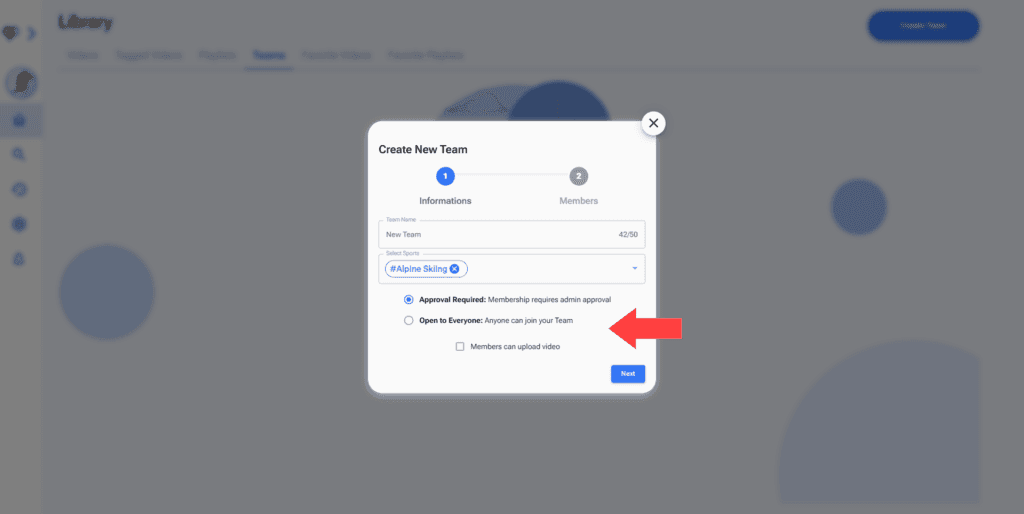
3. Make your group public or private and select if members can upload videos or not. Click Next.
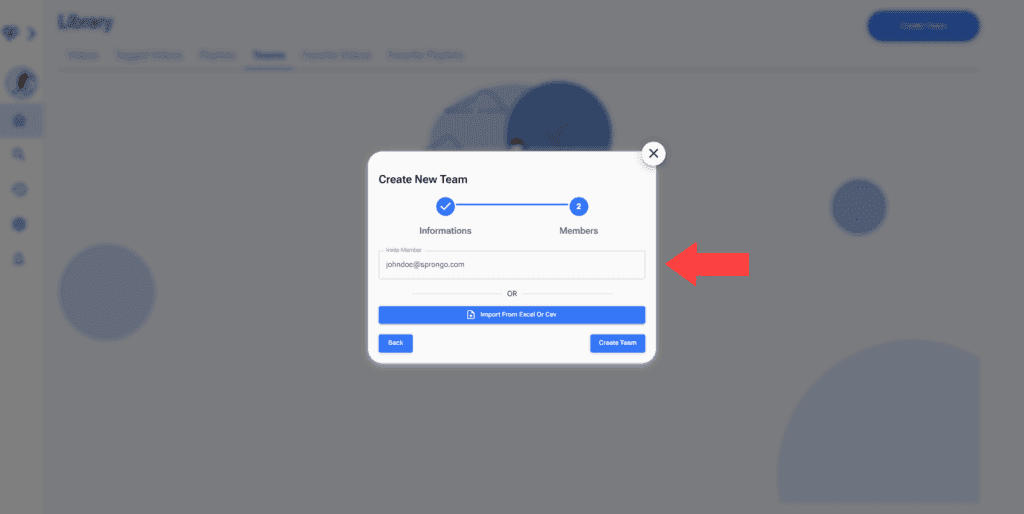
4. To invite members put their email and press Enter on your keyboard. You can invite members later on the Team section.
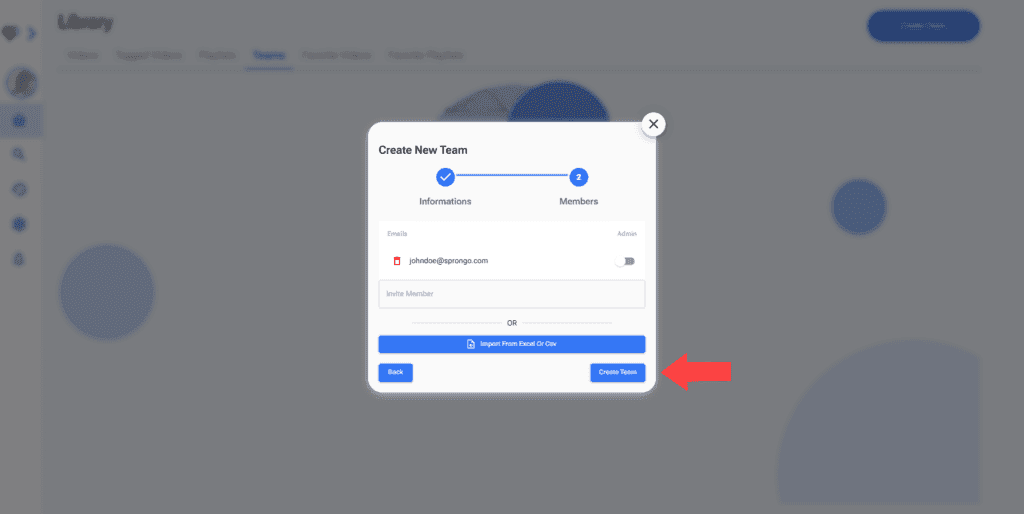
5. Click on Create Team.
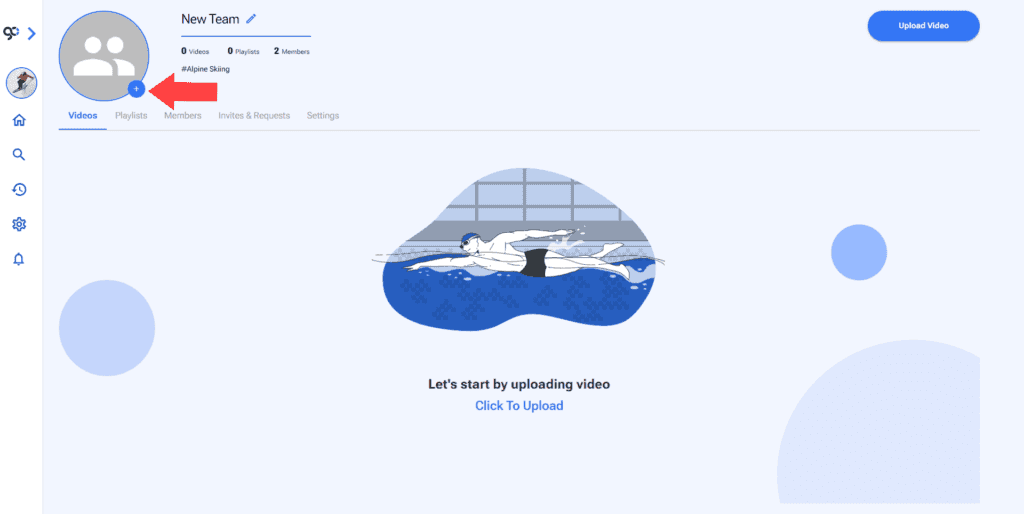
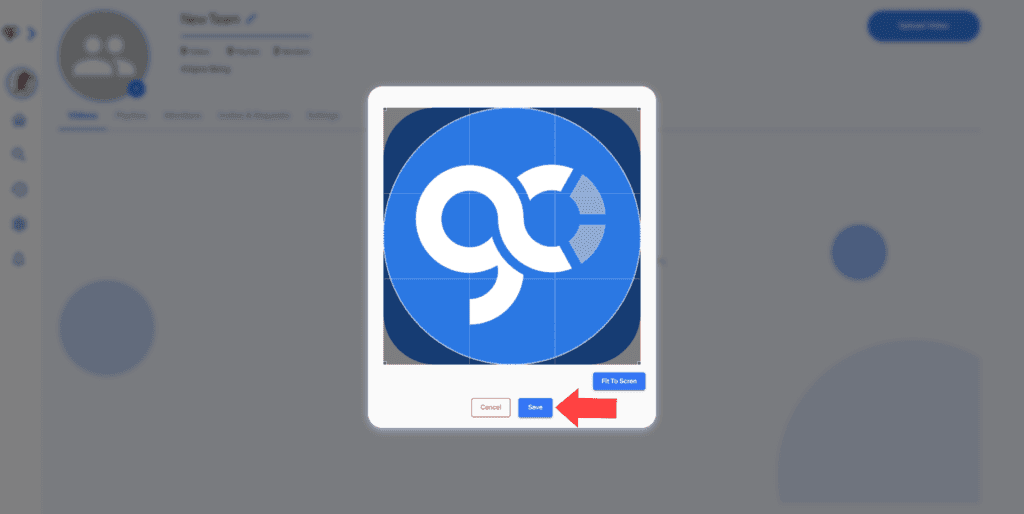
6. You will be redirected to the Team page. You can choose an image for your team by clicking on the plus button next to the team picture.