The problem with check-ins today
Most personal trainers already run check-ins: a weekly form with sleep, energy, adherence and a progress photo. What usually goes missing is the one thing a trainer is actually paid for: seeing how the client moves.
Live video calls solve that, but they're hard to schedule, especially across time zones. Clips sent over a messaging app get buried, compressed and forgotten, and the feedback ends up scattered across voice notes, texts and emails. Trainers on one popular coaching platform's ideas forum have asked for exactly this: a way for clients to record themselves, send it, and get recorded feedback back, without needing to be awake at the same time.
An asynchronous video check-in fixes it. The client films, you review when it suits you, and the feedback stays attached to the clip.
The weekly video check-in, step by step
- Agree on one or two key lifts or movements per training block.
- The client films one working set of each from a set angle.
- They upload the clip to a shared library before an agreed day.
- You review it, mark the moment that matters, and leave one clear cue.
- Next week, compare the new clip with the old one to check that the cue landed.
That's it. Ten minutes per client per week can replace a lot of back-and-forth messages.
What clients should film
Keep it simple and consistent, or clients will stop doing it.
- One or two movements per check-in, chosen from the current program: a squat, a hinge, a press, a lunge, or whatever you're working on.
- A full working set, not just the best rep. Form often changes on the last reps.
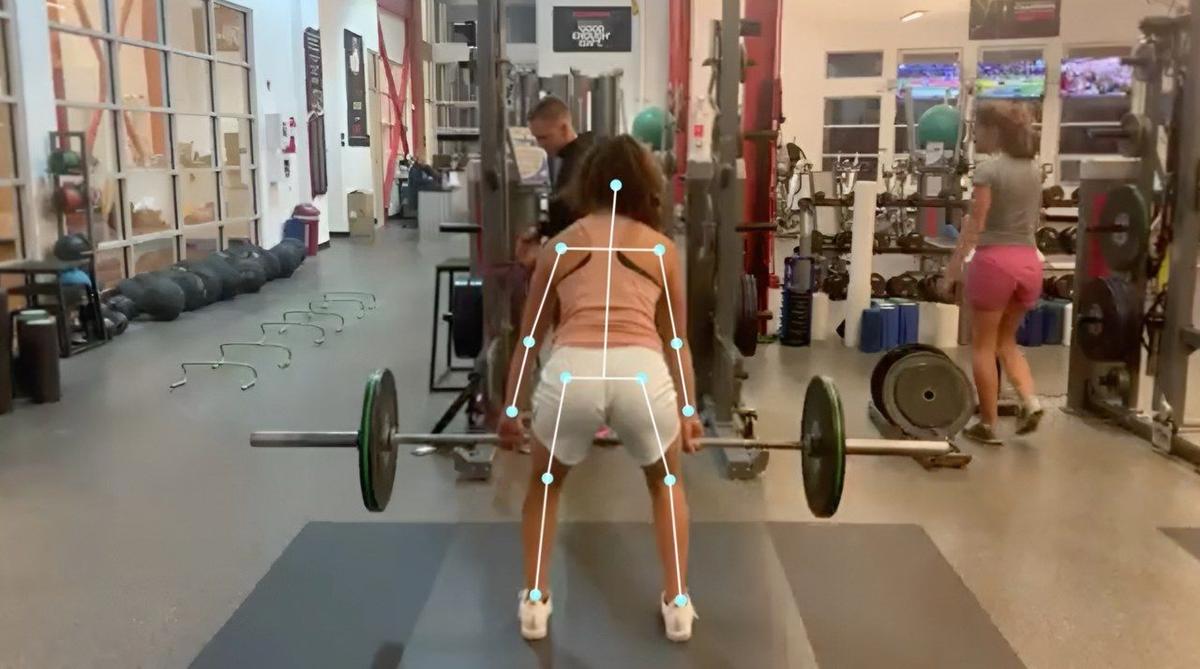
- The same angle every time. Side-on for most lower-body lifts; a 45-degree front angle to check knees and side-to-side shifts.
- The phone at hip height, 2 to 3 metres away, with the whole body and the equipment in frame.
Give new clients a one-page filming guide in week one, and check their first clip together. Our guide to squat and deadlift form checks covers the setup in detail.
Tip: ask clients to say their name and the exercise in the first seconds of the clip. In Sprongo, a name spoken in the first 5 seconds is tagged automatically, which keeps a busy library organized.
How to review fast
The review is where trainers lose time. A routine keeps it to a few minutes per clip:
- Watch once at full speed for rhythm and overall quality.
- Pick one moment that matters, such as the bottom of the squat or the bar leaving the floor.
- Pick one joint or body part to judge, not everything at once.
- Decide on one cue for next week.
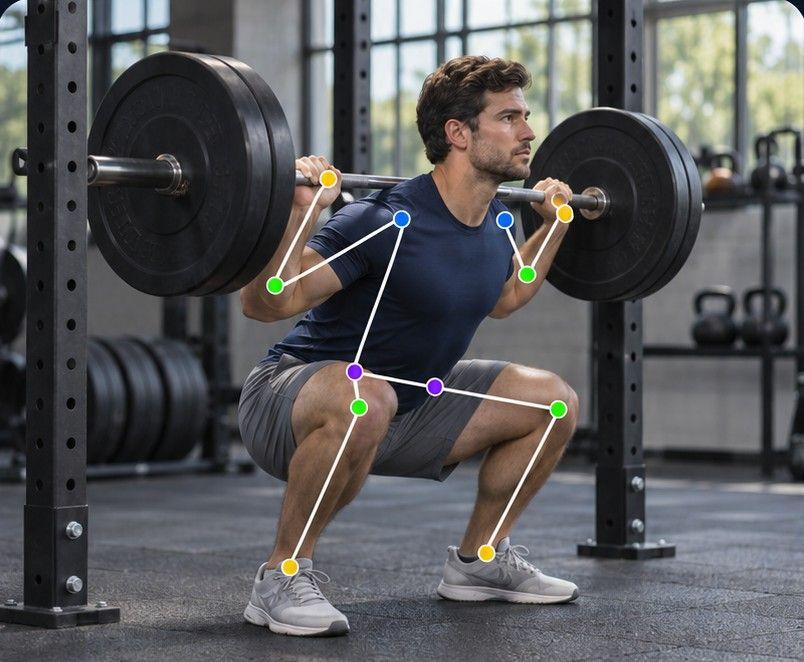
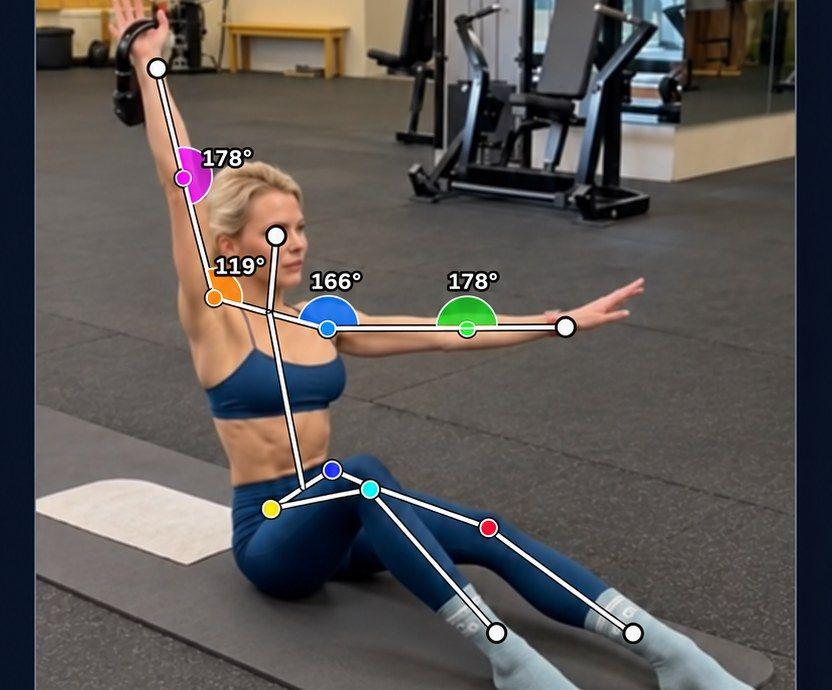
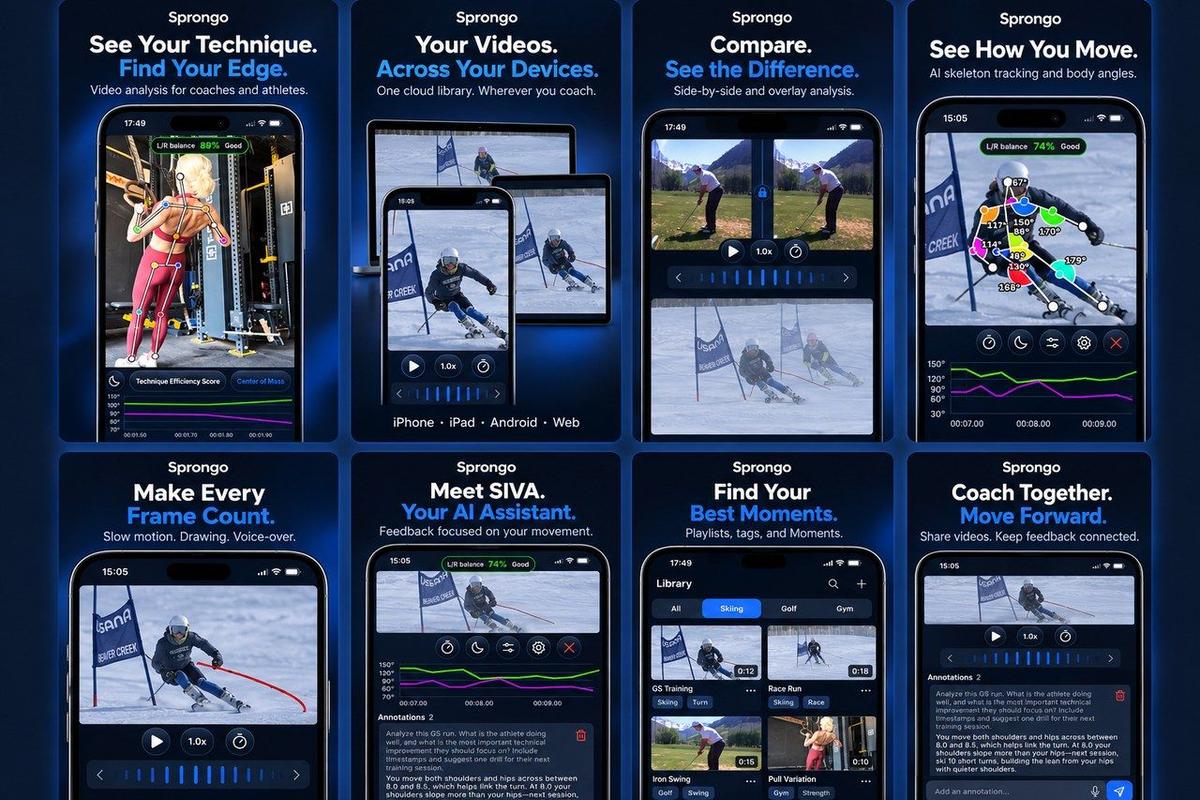
Sprongo has tools for each part. Path Track traces the center of mass or any joint through the movement, with joint angles shown on the athlete, so you can see a pattern at a glance. SIVA, Sprongo's AI video assistant, answers a focused question about a clip, tells you what it noticed and suggests a next focus. Use it as a second pair of eyes; your judgment stays in charge. SIVA reads 2D video, so clear, steady footage gives the best answers.
Feedback clients will actually use
A paragraph of text after a form check rarely changes the next set. Feedback that sticks is short, visual and tied to the exact moment.
In Sprongo you can draw on the frame, leave a voice note and share the exact moment with your client, so the cue is right there when they open the clip before their next session. Mark the moment with a Moment and add it to the client's playlist, so you can both find it again.
A good pattern for every review:
- One thing that's improving, so clients feel the progress.
- One cue for next week, in plain words.
- One drawing on the frame that shows it.
Show progress with side-by-side comparisons
Progress is the best retention tool a trainer has, and it's easy to miss when it happens gradually. Every few weeks, compare a clip from the start of the block with the latest one. In Sprongo, pick Compare from any clip, sync the two and slow them down to see exactly where they differ, side by side or overlaid.
Share the comparison with the client. Seeing a deeper, steadier squat next to the one from six weeks ago is far more motivating than a number on a spreadsheet.
Keep every client organized
When you train 20 or more clients, organization matters as much as analysis. A few habits help:
- One playlist per client, and tags for the exercise and the training block.
- Star the clips that show a breakthrough, for progress reviews and testimonials (with the client's permission).
- Review on whichever screen is handy. Sprongo works the same on iPhone, Android, tablet and the web, with one account.
Which plan fits a personal trainer?
Sprongo PRO is $10 a month or $60 a year and includes a group of up to 3 people, so it suits trainers who are starting out or coaching a few online clients.
If you coach more clients, team workspaces give you one shared library with member access. Small Team is $49 a month for up to 20 members, Large Team $99 for up to 100, and Extra Large $159 for up to 300. Who can join and see what depends on the team's privacy settings.
Common mistakes
- Asking for too many movements per check-in.
- Letting clients change the camera angle each week.
- Giving five corrections at once.
- Reviewing clips days late, when the client has already done the next session.
- Keeping feedback in chat, where it disconnects from the video.
Start your video check-ins
Pick two clients, run the weekly video check-in for a month, and see how much clearer your coaching gets.
Get PRO, $10/month · App Store · Google Play
Coaching more clients? See team plans.