Overload only counts if the lift is still the same lift
Progressive overload is simple to say and easy to get wrong. You add load, reps, sets, range or density over time so the body has a reason to adapt. The catch is that the movement has to stay the movement you intended. If a client's squat load goes up and the depth disappears, or the deadlift load goes up and the back rounds off the floor, you did not overload the squat or the deadlift. You overloaded a different, usually worse, pattern.
Video is the most practical way to keep those two things honest at once: the plan is getting harder, and the form is still acceptable. A notebook can record the load. It cannot show you whether the last rep of week four still looks like the last rep of week one.
This is not a lift-by-lift form checklist. For camera setup and what to check on the squat and the deadlift themselves, use our squat and deadlift form check. For a weekly remote check-in routine, use our personal trainer video guide. This post is about using video as the form standard while you progress a client.
Decide what you are actually progressing
Before you film, be clear about the variable you mean to advance. Common options include:
- Load, if the form already holds at the current weight.
- Reps or sets, if the load is right but the client can do more quality work.
- Range of motion, if they are building toward full depth or a full lockout.
- Tempo or pauses, if control is the limiter.
- Density, if you are shortening rest without changing the lift.
Pick one main variable for a block. If you raise the load, add reps and shorten rest in the same week, you will not know why the form broke, and neither will the client.
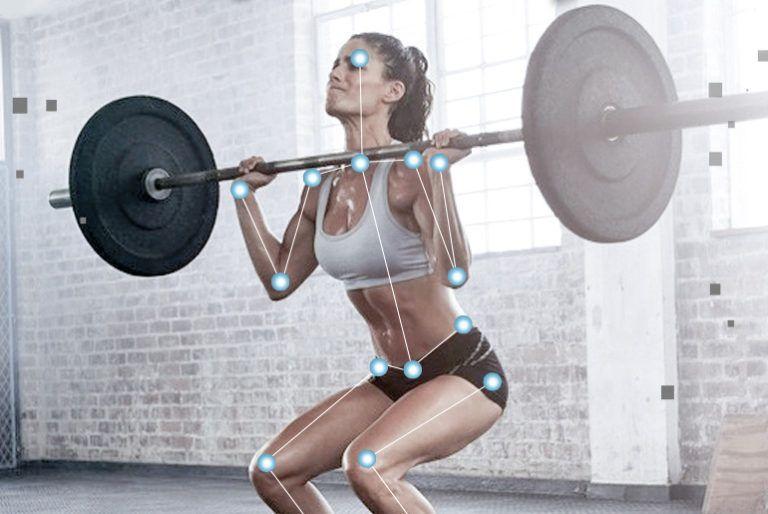
Also define what "good enough" looks like on film for that person, not for an ideal lifter. A working definition might be: the squat reaches the agreed depth, the heels stay down, the back stays in the agreed position, and the bar path does not drift forward on the last rep. Write that down. The clip is then evidence, not a matter of taste.
What to film as the work gets harder
You do not need to film every warm-up. You do need footage of the work that represents the overload.
- Film the working sets, not only the best-looking warm-up.
- Film the last reps, where form usually changes first.
- Use the same camera position each week: side-on as the main view for squats, hinges and presses, and a slightly front 45-degree view when you need to see the knees or a shift from side to side.
- Put the camera at about hip height, far enough away to include the full body and the full bar or dumbbells at the top and the bottom of the rep. Not on the floor pointing up.
- Keep the light in front of the lifter, not a bright window behind them.
- Say the client's name, the lift, the load and the set at the start of the clip. In Sprongo, a name spoken in the first 5 seconds is tagged automatically.
If you train in person, set the phone up once and let it run for the working sets. If you coach online, send the same setup brief every time and reject clips that cut off the feet, the bar or the top of the head. A clip that hides depth is not a form check.
How to review a training block on video
Watch the set once at full speed. You are looking for rhythm, hesitation and whether the last reps slow down in a controlled way or fall apart. Then slow down the last two reps and the first quality rep of the same set.
Compare, in this order:
- First working rep against last working rep of the same set, to see what fatigue does.
- This week's working set against last week's, at the new load or rep target.
- The start of the block against the end of the block, from the same camera spot.
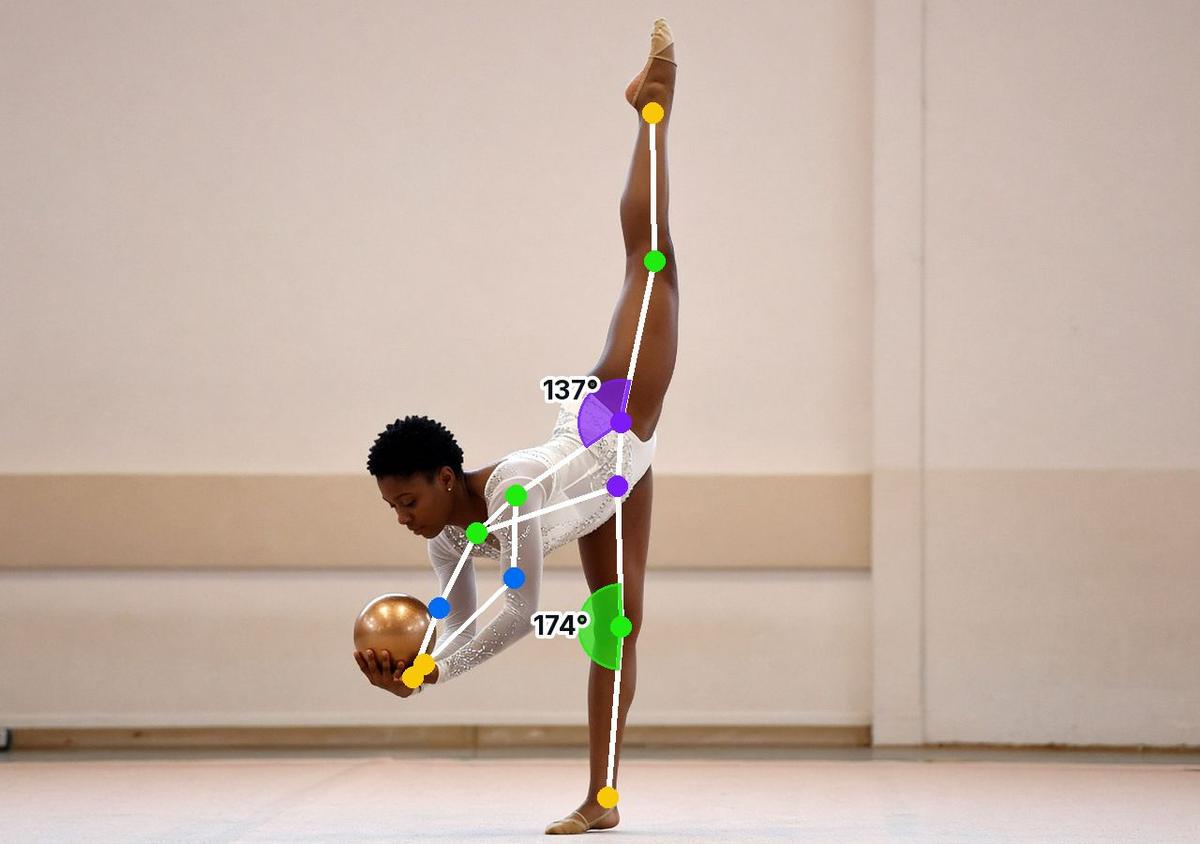
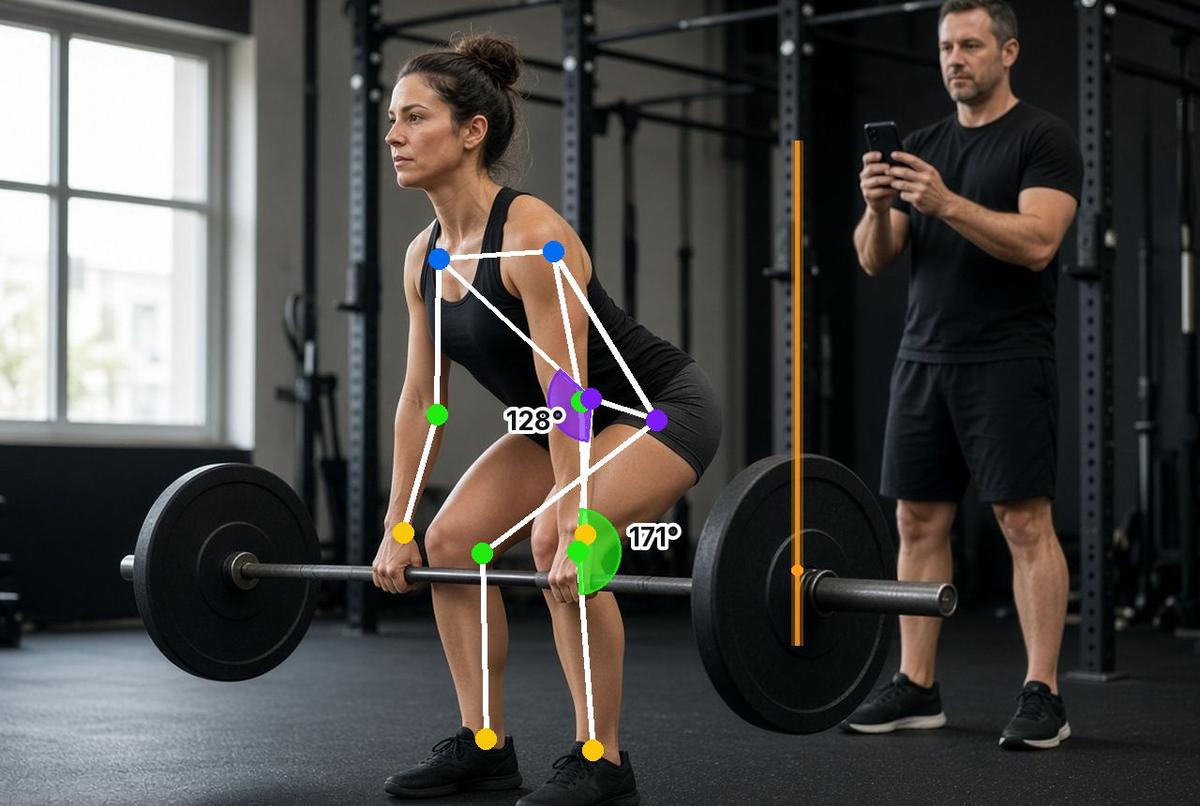
In Sprongo, pick Compare, sync the two clips on the same moment (the bottom of the squat, the bar leaving the floor, the press leaving the chest) and view them side by side or overlaid. Path Track can trace the bar, the hip or the knee so you can see whether the path changed as the load went up. SIVA, Sprongo's AI video assistant, can answer a focused question such as "Does my hip rise faster than my chest on this deadlift?" or "Do I reach the same depth on the last squat rep?" It reads 2D video, so the camera angle matters, and it does not replace a coach or a spotter.
Draw on the frame or leave a voice note if you want the client to see one thing before the next session. Share that exact moment. The feedback should be attached to the lift, not buried in a chat thread of "looked good this week."
When the film says to hold the load
Progression should stall when the form stops matching the standard you set, not when the client feels tired of the weight.
Hold or reduce the load, or drop back to fewer quality reps, when the footage shows a consistent change such as:
- Depth disappearing as the squat load goes up.
- The hips shooting up first on a deadlift, or the back rounding in a way you did not accept at the lighter load.
- The bar drifting forward, or one elbow dropping on a press.
- A knee collapsing inward, or the client shifting off a sore side.
- A pause or a hitch that was not there at the start of the block.
One ugly last rep is information. A pattern that appears on the last reps for two sessions is a reason to change the plan. Tell the client what you saw, show them the comparison, and say what will happen next week. People accept a held load more readily when they can see why.
Video is a coaching tool, not a spotter. Film loads the client can control, use safety bars or a spotter when the lift requires it, and stop if something hurts. If there is pain or an injury, they should see a qualified professional.
A simple four-week tracking routine
Week 1: film the main working sets of the lifts you plan to progress. Save those clips as the reference.
Weeks 2 and 3: film the same sets from the same spot. Compare the last reps with week 1. If the form still matches the standard, advance the planned variable. If it does not, keep the load or the reps where quality holds.
Week 4: compare week 4 with week 1, not only with week 3. That is usually the first time the client sees that the lift has actually changed, or that the load went up and the lift did not.
Keep one playlist per client, with tags for the lift and the block. Star the clips you will want in a review meeting or a program change. Sprongo works on iPhone, Android, tablet and the web, so you can review between sessions on whichever screen you have.
Common mistakes
- Filming only the first easy reps, then progressing the load on reps you never saw.
- Changing the camera angle every week, which makes depth and back angle look different even when they are not.
- Advancing load, reps and tempo at the same time.
- Giving the client five form cues after a set that was already heavy.
- Treating a single still frame as the whole story. Watch the descent and the ascent.
- Letting a client send a cropped, shaky, front-on clip and calling it a form check.
Frequently asked questions
Do I need to film every lift in the program? No. Film the lifts you are actually progressing, and any lift where form has been a limiter. Accessory work can stay in the notebook until it needs a look.
How many sets should a client send if I coach online? One or two working sets of each main lift is enough, including the last reps. Ask for the same angle each week. More clips only help if you will actually review them.
Can video tell me if the load is too light? It can show that the lift looks easy and unchanged, which is a reason to look at the plan. It cannot measure effort on its own. Use the footage together with the client's reps in reserve or the plan you already wrote.
What if the client only has a phone and no tripod? A phone leaning against a stable bag, a bench or a water bottle is enough, as long as the whole lift stays in frame and the camera does not move.
Is this a substitute for in-person coaching? No. It is a way to make in-person or online coaching more precise as the work gets harder. It does not replace spotting, programming judgment or professional care when something hurts.
Start with one lift this block
Pick one main lift for one client. Film this week's working set from a consistent side-on spot, write down the form standard you will accept, and compare the last reps with the same set next week before you add load.
Get Sprongo · App Store · Google Play
Coaching more clients? See team plans.