Point SIVA at the moment that matters
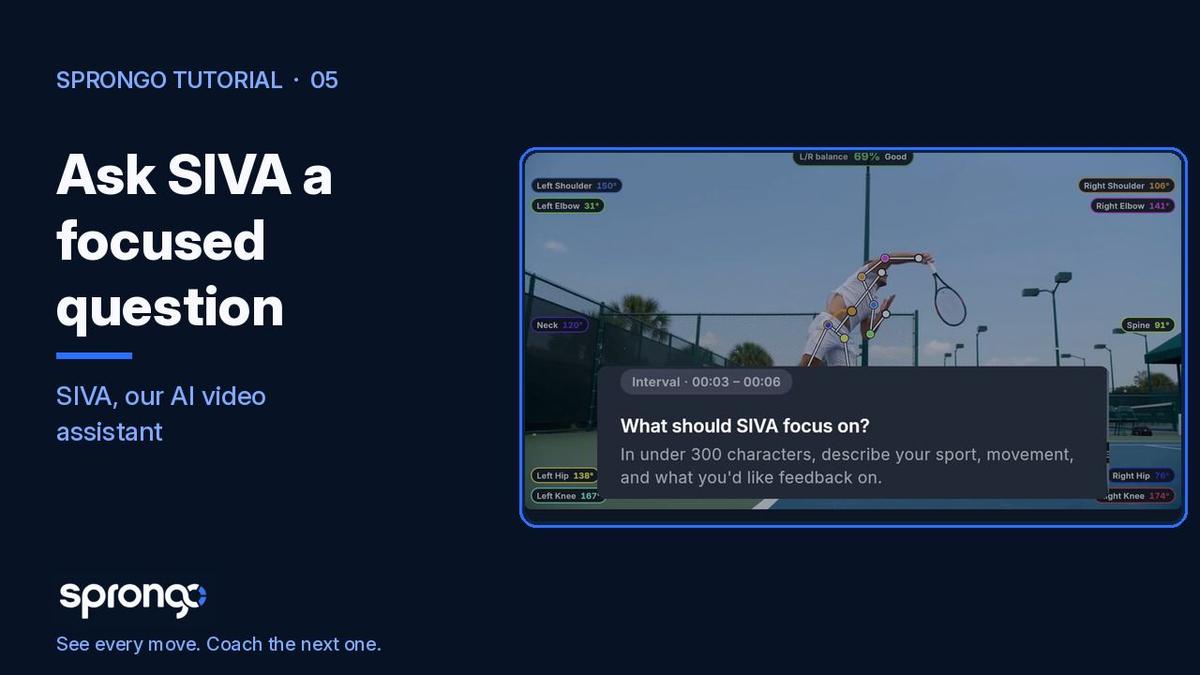
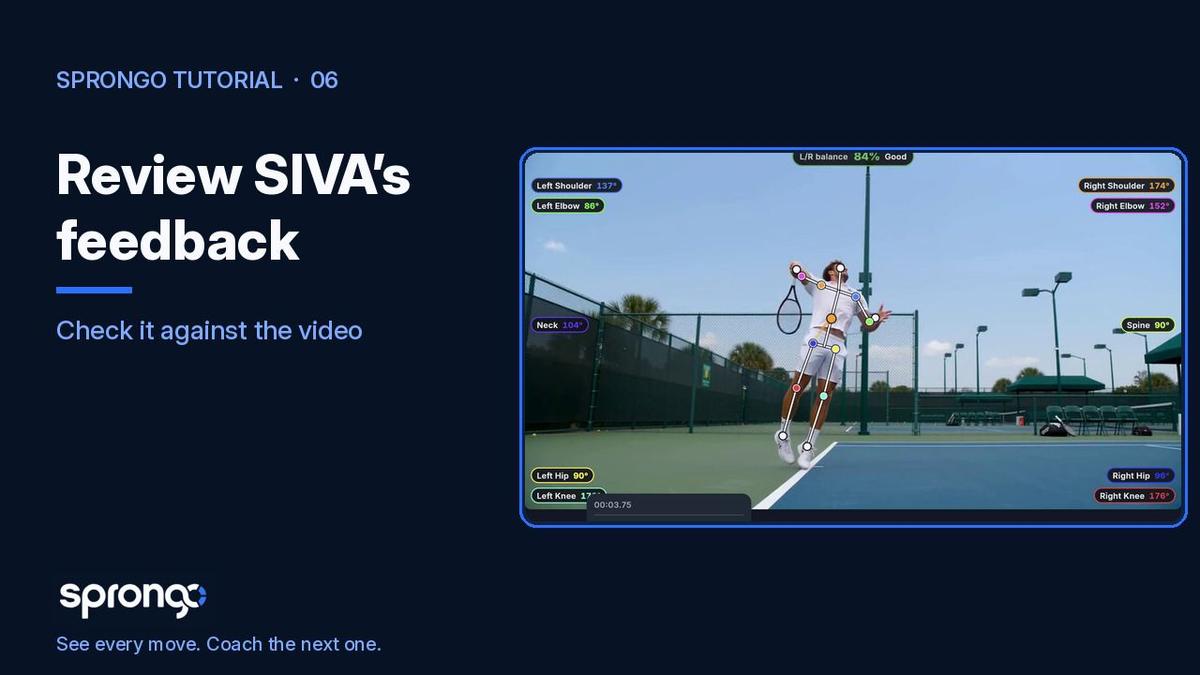
SIVA (Sprongo Intelligent Video Analytics) is Sprongo's AI video assistant. It answers a focused question about the movement in your clip, but only after you tell it where to look. Selecting the moment — the time range, and when you need it, a box around your athlete — is the step that keeps the feedback on the right person and the right phase.
Why it matters: a long clip has many people and many seconds that are not the question you want to ask. A serve toss, a turn entry, or a landing is a few seconds long. If SIVA is looking at the whole rally, or at the wrong athlete, the answer will be vaguer than it needs to be. Your coaching judgment still decides what to do with the feedback. This step just aims it.
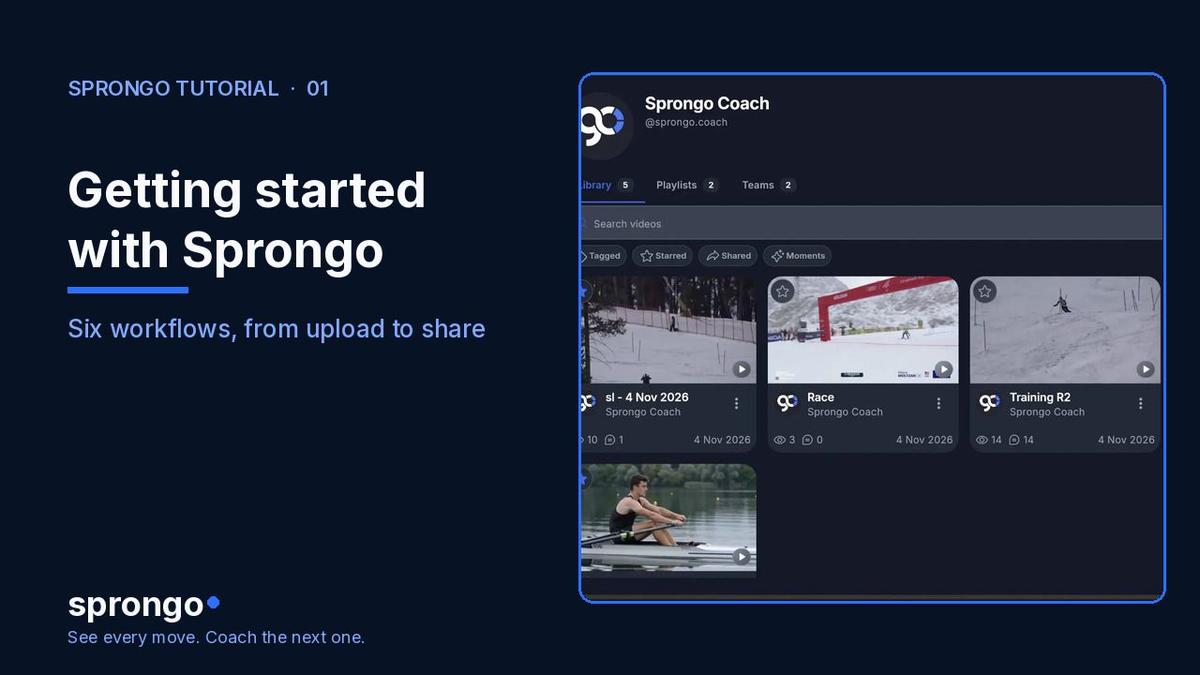
This is the first of three short SIVA how-tos, after the overview in Getting started with Sprongo: six workflows. Next: How to ask SIVA a focused question and How to review SIVA's feedback. For the fuller explainer, see What Is SIVA?.
How to select the moment
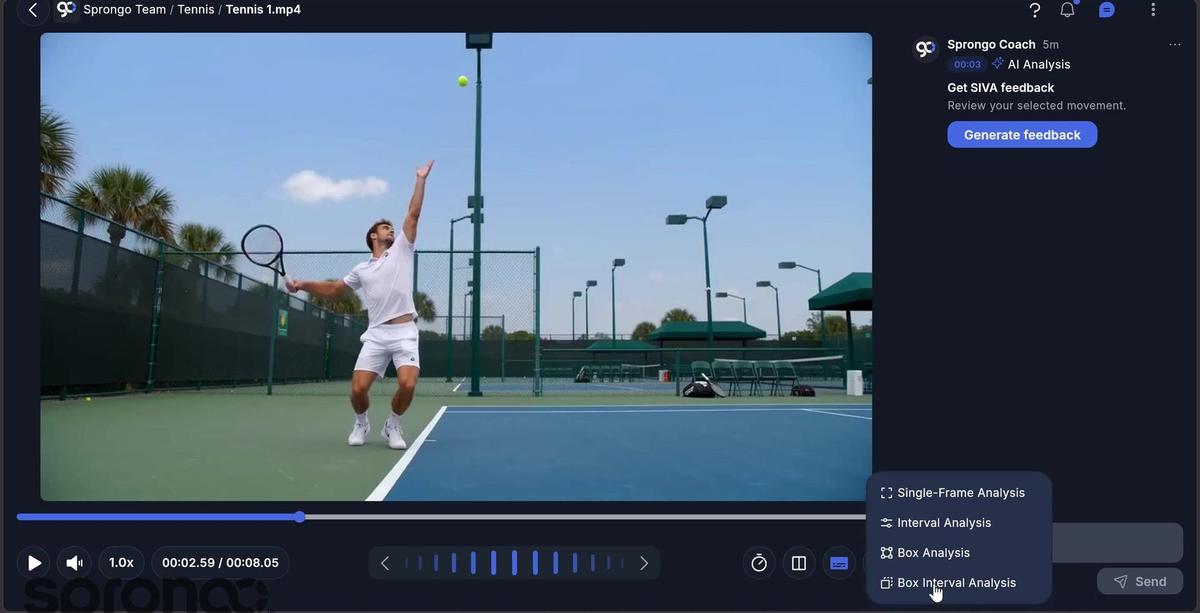
- Open the clip and go to AI Analysis. Choose the analysis type that matches what you want to look at. In the 2.0 menu you'll see options such as Single-Frame Analysis, Interval Analysis, Box Analysis, and Box Interval Analysis.
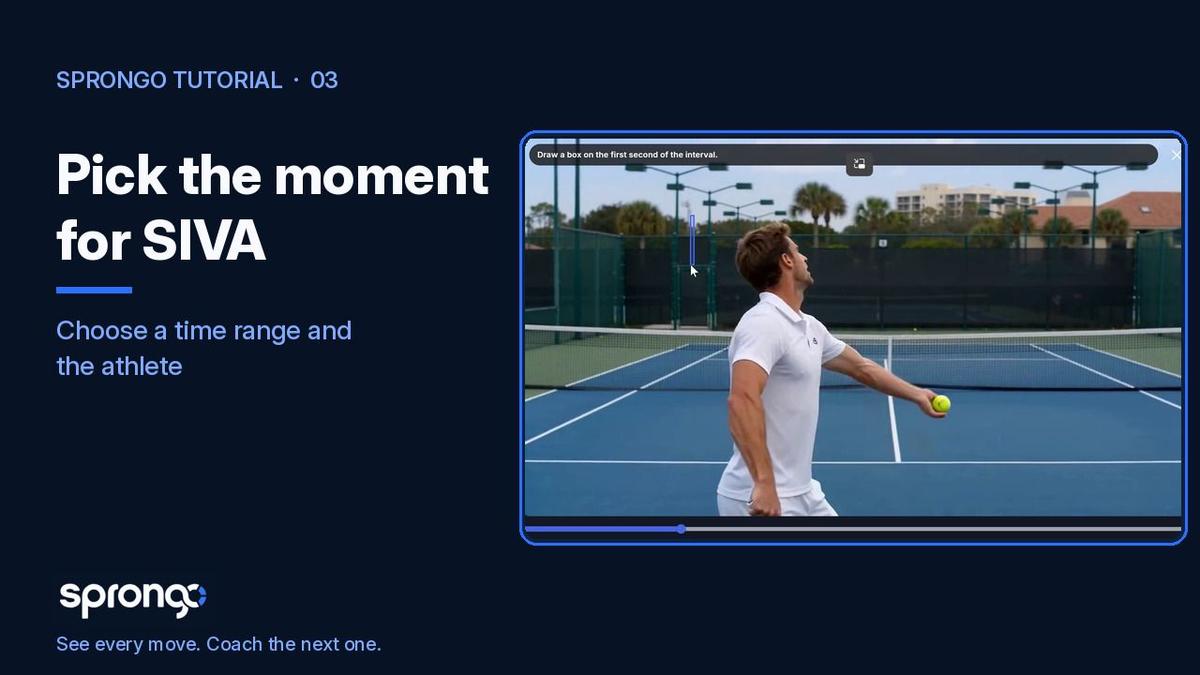
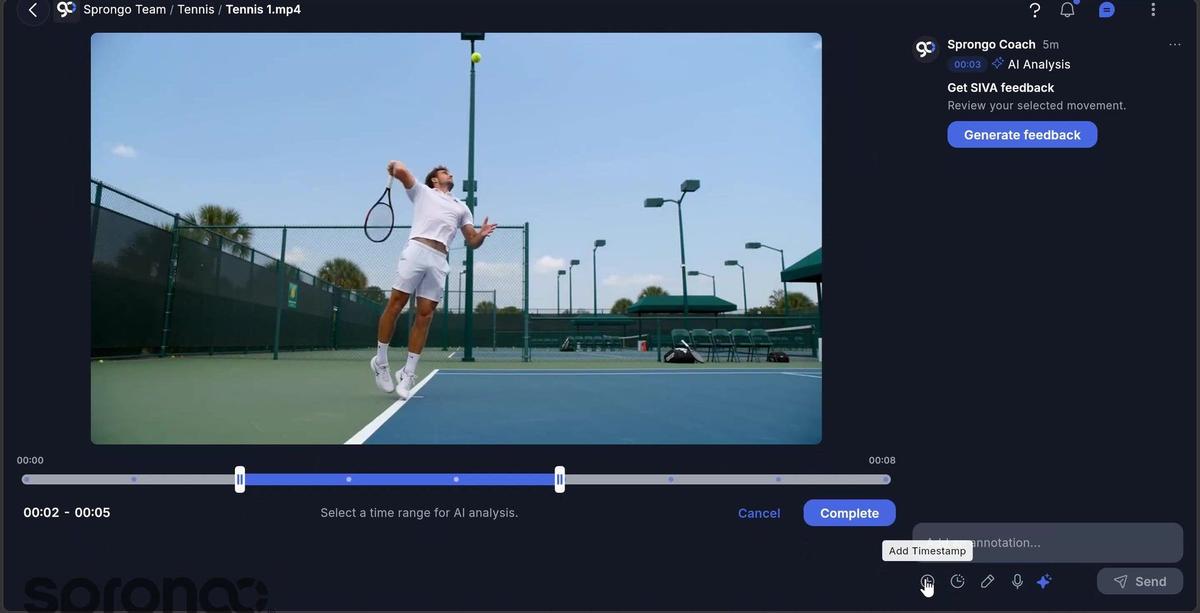
- For a phase of the movement, set a time range. Drag or step the interval so it covers only the seconds that belong in the question — for a serve, that might be the toss through contact, not the walk-up.
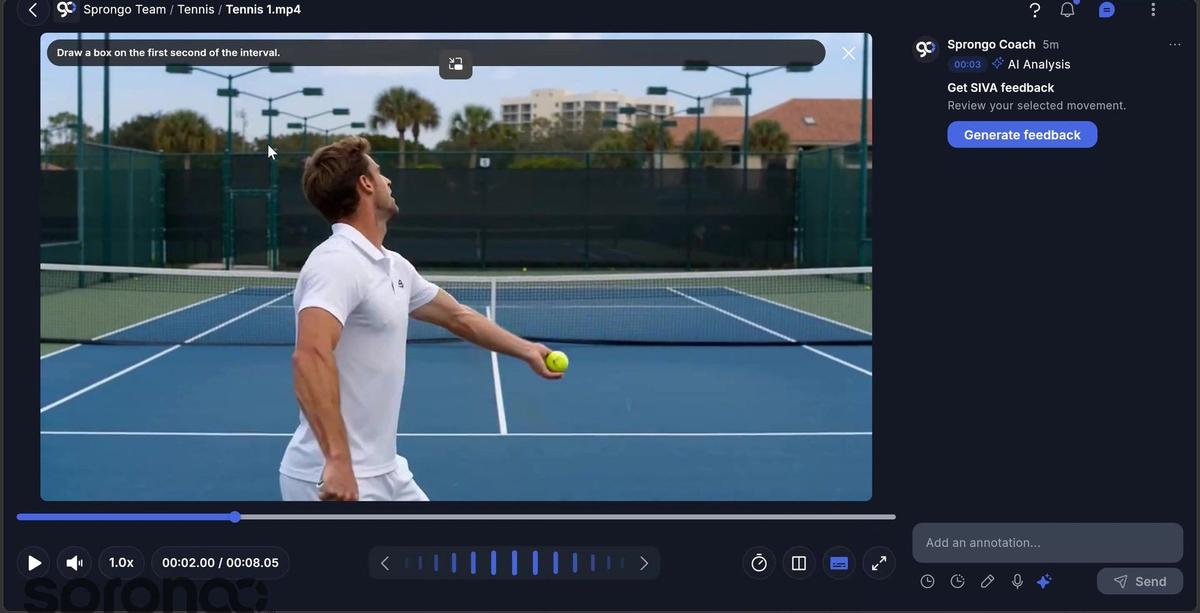
- Draw a box around your athlete, especially if more than one person is in the frame, or if the athlete is moving through the shot. Start the box on the first second of the interval so the analysis can stay with them.
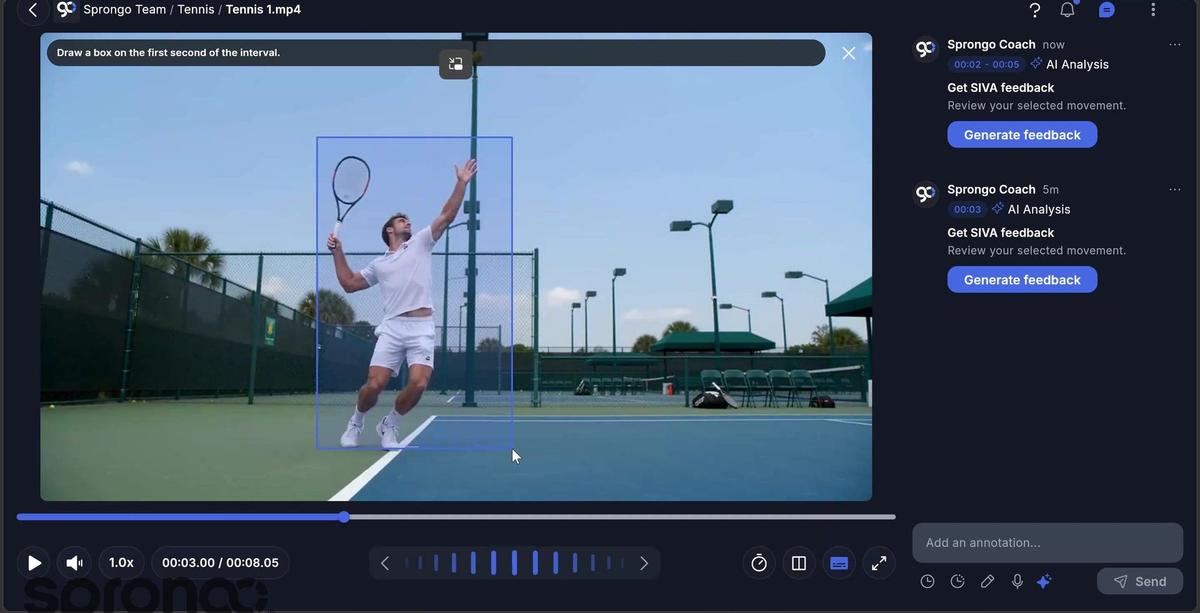
- When the interval and box are in place, the selection is ready for SIVA. Continue with a focused question in How to ask SIVA a focused question.
Frequently asked questions
Which analysis type should I pick? Use a time interval when you care about a phase, not a single freeze-frame. Add a box when more than one person is in the shot, or when the athlete moves and you want the analysis to stay on them. Single-frame is for one still you already know.
Why draw a box? The box tells SIVA which person to stay with. On a tennis court, a crowded landing area, or a team drill, that step is what keeps the feedback on your athlete.
What if the box misses them mid-movement? Set the interval first, draw the box on the opening frame of that interval, and check that the athlete stays inside it through the movement before you generate feedback.
Related guides
Getting started with Sprongo: six workflows · How to ask SIVA a focused question · How to review SIVA's feedback · What Is SIVA?
Select one moment, then ask one question
Point SIVA at a few seconds and one athlete, then write the question you actually want answered.